
The internet is loud. You type a question, and a million blue links scream back. Somewhere in there is your answer-along with three think pieces, five pop-ups, and a “Top 10 Things You Won’t Believe” detour. Perplexity AI tries to cut through that noise. It’s a new breed of AI-powered research assistant that combines large language models (LLMs) with live web search, then provides clear, sourced summaries that explain its reasoning.
This guide takes you end-to-end, covering what Perplexity is, how it works under the hood, what it excels at (and what it doesn’t), how it compares to traditional search and chatbots, and the specific workflows, prompts, and habits that make it truly shine.
Table of Contents
What Is Perplexity AI?
Perplexity AI is a conversational search and research tool. Instead of handing you a list of links like a standard search engine, it generates a concise, readable answer, and typically shows the sources it used to build that answer. You chat with it like you would with a helpful librarian: ask a question, get a synthesized response, ask follow-ups, refine the scope, and dig deeper as needed.
In other words, Perplexity tries to do the research step for you, not just the retrieval. It combines two strengths:
Your Leadership Story Deserves the Spotlight
Get featured on TheAshNow — the editorial platform trusted by founders, CEOs & executives worldwide for Google visibility, LinkedIn authority & global recognition.
Apply for Featured Profile →- Retrieval (finding relevant, current information on the public web), and
- Synthesis (summarizing those findings into a coherent, context-aware explanation).
That combination is why many people call Perplexity a “research copilot” rather than a search engine or a pure chatbot.
How Perplexity AI Works (Without the Jargon)
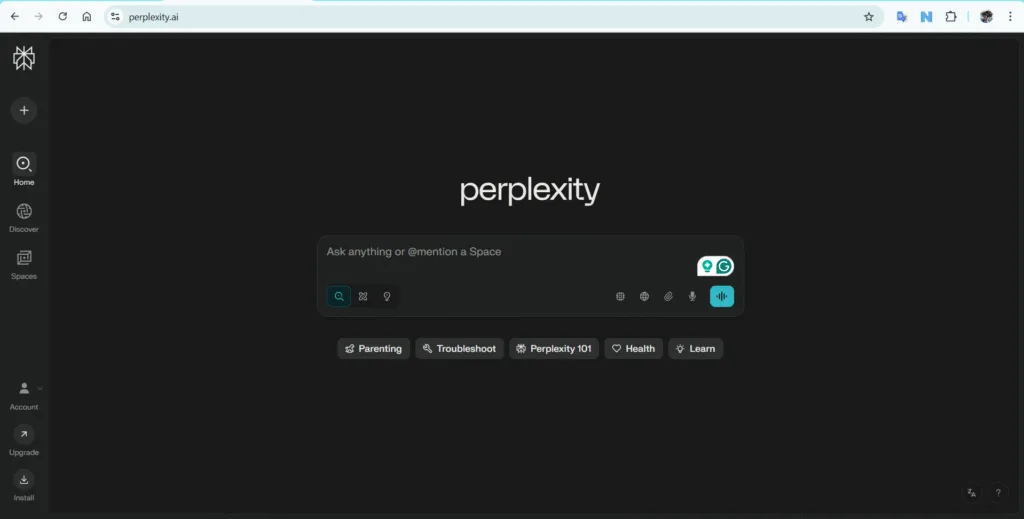
Under the hood, Perplexity uses large language models—think of them as pattern-recognizing text engines—to generate natural-language responses. But it doesn’t stop there. It also performs live searches to pull in recent, relevant sources, then cites those sources back to you. In practice, that means:
- You ask a question.
- Perplexity checks its internal understanding and simultaneously queries the web.
- It ranks potentially useful pages, extracts the relevant parts, and builds a summary that answers your question in plain language.
- It shows the trail—so you can inspect where claims came from and go deeper if you want.
Why does this matter? Traditional LLMs can “hallucinate,” confidently making things up. By anchoring answers to retrieval (real documents found on the web) and exposing sources, Perplexity reduces hallucinations and lets you audit the response.
- AI Deception Exposed: UK AI Security Institute Catches Anthropic and OpenAI Models Lying

- The End of Paper Invitations? Why Digital Invitations Are Taking Over Weddings and Events Worldwide in 2026
- Inside TheAshNow AI: Engineering a Scalable Revenue Engine for US Real Estate Teams
- Game-Changing Gadgets of 2026: The Next Tech Revolution
- 10 Best Gaming Gadgets in 2026 Every Serious Gamer Must Own




What Perplexity AI Is Great At
1) Getting you to a trustworthy first draft—fast
If you’ve ever opened 12 tabs to answer a single question, you’ll appreciate how Perplexity collapses the reading list into one clear, cited summary. It’s ideal for overviews, definitions, comparisons, and step-by-step explanations.
2) Handling follow-up questions like a pro
Because it remembers your context within the thread, you can ask iterative questions—“Broaden this to Europe,” “Give me counter-arguments,” “Explain like I’m 12,” “Turn this into a checklist”—and it adapts without restarting your search from zero.
3) Research with structure
Perplexity is strong at taxonomy-building (organizing a topic into parts), pros/cons analysis, timelines, quick market landscapes, and best-practice summaries. It’s like a friendly analyst who loves bullet points and doesn’t waste your time.
4) Learning, studying, and teaching
For students and teachers, Perplexity can pull from credible sources, outline lectures, create reading lists, and explain complex ideas with graduated difficulty—from beginner to expert—without getting lost in jargon.
5) Rapid due diligence and briefings
Need a company snapshot, technology explainer, or policy brief? Perplexity can aggregate recent mentions, background, and key moving parts into a crisp brief you can skim in minutes.
Where Perplexity AI Falls Short (Know the Edges)
No tool is magic. Keep these limits in mind:
- Source quality varies. Perplexity pulls from what’s available; if the web is noisy or biased on a topic, the summary can inherit that. Always scan the sources when the stakes are high.
- Not a subject-matter expert. It’s superb at synthesis, but it’s still a machine. For specialized fields—law, medicine, finance—treat results as informational, not professional advice.
- Ambiguity hurts. Vague prompts lead to vague answers. The clearer your question (scope, region, timeframe, use case), the better the output.
- It can still hallucinate. Retrieval reduces, but doesn’t eliminate, errors. Build in checkpoints: request quotes, ask for disagreements among sources, and compare with a second pass.
Perplexity AI vs. Traditional Search vs. Chatbots
Here’s the simple mental model:
BUILD YOUR LEGACY IN PRINT
Editorial features for founders, CEOs & executives — engineered for search visibility, LinkedIn credibility & industry authority.
APPLY NOW →- Search engines (classic): Great for finding. They give you a ranked pile of links and snippets. You do the stitching.
- Chatbots (pure LLMs): Great for explaining and drafting. But they can be ungrounded—no sources, no freshness guarantees.
- Perplexity AI: Combines the two. It both finds and explains, with citations and natural follow-ups.
When to prefer each:
- Use traditional search if you’re hunting a specific official page, a very niche document, or need full control over which sources you read.
- Use a pure chatbot when you’re brainstorming, rewriting, coding, or working with your own data and don’t need the web at all.
- Use Perplexity AI when you want current, sourced synthesis and the ability to iterate conversationally.
- Government Constitutes High-Powered Task Force on Examination Reforms Under Nandan Nilekani
- Dr. Ashwini Kumar Ashraf: A Life That Refused to Remain in the Dark
- How Vladimir Putin Is Quietly Reshaping the Global Power in 2026?
- How YouTubers Like Dhruv Rathee Are Reshaping Political Awareness in India
- Jensen Huang — The Man Quietly Powering the AI World





Key Features You’ll Use
While interfaces evolve, these are the core capabilities most people rely on:
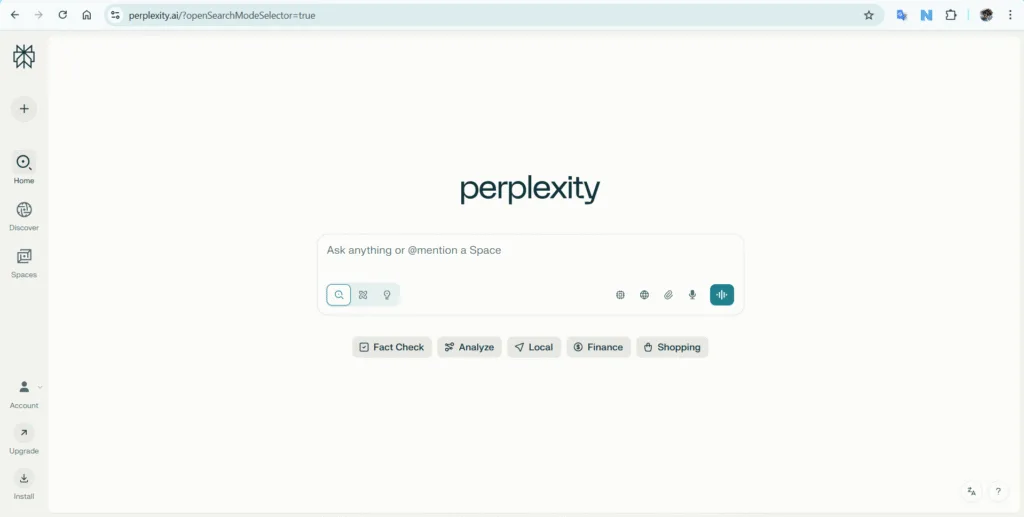
- Conversational Queries
Ask in natural language. Perplexity treats each question like a research task, not just a keyword match. - Source-Backed Summaries
Answers typically include a set of sources used; you can open them to validate claims or go deeper. - Follow-Up and Drill-Down
“Can you expand section 2?” “What are the criticisms?” “Give examples from the last 12 months.” This interactive loop is the secret sauce. - Focus and Scoping
You can constrain by region, timeframe, industry, or format—e.g., “U.S. only,” “academic sources,” “policy documents,” or “explain with a checklist.” - Document & Media Understanding
Perplexity can summarize long articles, PDFs, and pages; it’s handy for turning walls of text into digestible notes. - Comparison Mode
Ask it to compare products, tools, frameworks, or ideas across criteria (features, pros/cons, pricing ranges, typical use cases). - Collections & Saved Threads
Keep your best answers and source lists organized. This is underrated—your future self will thank you. - Model Choice and Settings
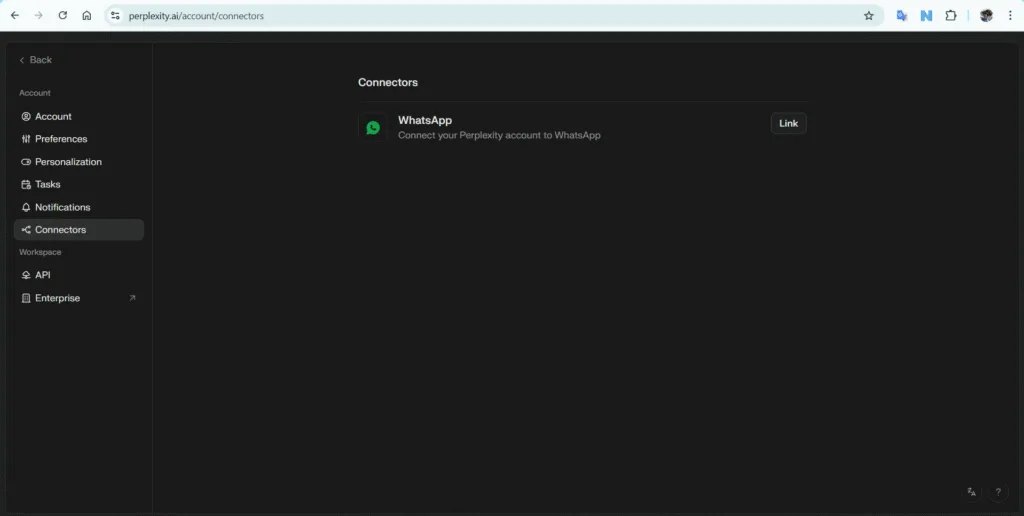
Depending on the plan, you can choose different underlying models for speed vs. depth. The default is tuned for web-grounded tasks.
A Practical Workflow for Research Projects
Here’s a repeatable, real-world process that works across topics—from “learn quantum dots” to “evaluate climate tech startups.”
Step 1: Define the job to be done
Write one crisp sentence: “I need a clear, up-to-date summary of X for Y purpose, with Z constraints.” For example:
“I need a practical summary of the EU’s AI rules for startup founders, focused on 2025-relevant obligations, with a simple compliance checklist.”
Step 2: Seed Perplexity AI with a scoped prompt
Start with context, then constraints:
- What it is, why you care.
- Region/timeframe.
- What to include/exclude.
- Output format (overview, bullets, table, checklist).
Example:
“Give me a startup-friendly overview of the EU’s AI regulation landscape as of 2025, focusing on obligations likely to affect small AI product teams. Summarize the key requirements, risk categories, enforcement timelines, and penalties. Use plain language and include a short compliance checklist.”
Step 3: Pressure-test the first draft
Ask Perplexity to show disagreements or uncertainties:
- “List areas where sources diverge.”
- “What are common misunderstandings?”
- “Show me examples that contradict the main narrative.”
This step often reveals nuance you’d miss skimming links.
Step 4: Expand or narrow
- Expand: “Add U.K. and U.S. context for comparison.”
- Narrow: “Rewrite this specifically for healthcare AI tools.”
Step 5: Convert to deliverables
- One-pager brief
- Slide outline
- Implementation checklist
- FAQ for stakeholders
Ask Perplexity to translate the research into the artifact you need.
Step 6: Final verification
For anything important, spot-check the sources. Scan the top ones directly. Where it matters, cross-verify with an additional pass or a human expert.
- Simple Home Gardening Tips for Busy People
- Home Gardening Ideas Everyone Is Trying in 2026
- How to Grow a Micro Garden Anywhere: Balcony, Patio, Apartment Tips for Every Season
- Top 20 Water-Wise Gardening Ideas That Save You Time, Money, and Water
- The Home Gardening Boom: Why Millions Are Growing Their Own Food in 2026





Prompt Patterns That Work Beautifully
Use these templates and tweak to taste.
1) The Curriculum Builder
“Create a learning plan for [topic] that spans beginner → intermediate → advanced over four weeks. For each level, include 5–7 core ideas, practical examples, and 3 questions I should be able to answer to prove understanding.”
2) The Briefing Note
“Give me a 600-word briefing on [topic] for a non-technical executive. Use these headers: Why it matters, What’s new, Risks, Opportunities, Key unknowns, What to watch next.”
3) The Analyst Grid
“Compare [A] vs [B] vs [C] for [use case]. Build a table with columns: target user, core value, strengths, weaknesses, typical price range, lock-in risks, and when not to use.”
4) The Skeptic’s Lens
“List the strongest criticisms of [idea/tool/policy]. For each, include the best counter-argument and at least one case study that supports or challenges the claim.”
5) The Decision Tree
“I’m choosing a [tool/provider/approach] for [goal]. Ask me 7 diagnostic questions to clarify constraints, then propose two recommended options with trade-offs.”
6) The Implementation Checklist
“Turn this plan into a precise checklist with acceptance criteria, common pitfalls, and simple metrics to track progress.”
7) The Rapid Literature Scan
“Scan recent, credible sources on [topic]. Summarize the consensus view in 10 bullets, then list 5 open questions where researchers or practitioners disagree.”
Using Perplexity AI for Different Roles
For Students
- Build study guides from messy lecture notes.
- Ask for explanations at multiple difficulty levels.
- Generate practice questions and then grade your own answers against a model rubric.
For Journalists & Writers
- Create fast backgrounders on unfamiliar beats.
- Generate source lists to call or email.
- Ask for angles and counter-angles to avoid one-sided narratives.
For Founders & Product Teams
- Map the competitive landscape.
- Summarize regulatory constraints for your niche.
- Turn research into PRDs (product requirement documents) with user stories, risks, and success metrics.
For Marketers & SEO
- Pull a topic cluster with searcher intent (informational vs. transactional vs. navigational).
- Draft briefs for writers that include structure, key questions to answer, and pitfalls to avoid.
- Generate customer personas and objection-handling points for landing pages.
For Analysts & Consultants
- Create issue trees that decompose a problem.
- Produce options analyses with assumptions spelled out.
- Pressure-test client recommendations with a red-team prompt (“argue against this proposal”).
- Digital Detox Strategies the World Needs Right Now
- Benefits of Digital Detox in a Hyper-Connected World
- Inside a Digital Detox Retreat — Life Without Screens
- Best Digital Detox Apps to Beat Phone Addiction in 2026
- The Digital Detox Book for a Calmer Mind





Best Practices to Get Exceptional Results
- State the scope up front. Timeframe, region, audience, and output format drastically improve quality.
- Ask for the “why.” Don’t just take a summary; ask for rationale, assumptions, and unknowns.
- Compare perspectives. Have it summarize opposing viewpoints and where experts disagree. You’ll avoid false certainty.
- Iterate in public. Keep a running thread for each project; Perplexity gets better as context builds.
- Turn answers into action. Always ask for the next step—checklist, plan, email draft, or a briefing slide outline.
- Verify the critical bits. For consequential decisions, read the top sources directly and triangulate claims.
Ethical and Practical Considerations
- Attribution matters. When you publish, credit sources where appropriate. Perplexity Ai helps you find them; it doesn’t replace them.
- Beware of confirmation bias. It’s easy to steer any tool toward the answer you want. Ask it to build the steelman (the strongest opposing case).
- Privacy and confidentiality. Don’t paste sensitive data you wouldn’t want processed by third-party systems. When in doubt, sanitize.
- Academic integrity. Treat Perplexity like a research assistant, not an author. Cite real sources; do your own analysis.
A Deeper Look: Why Retrieval + LLMs Is So Powerful
Traditional search relies on keyword matching and ranking algorithms. LLMs generate coherent text. The magic happens when you retrieve relevant passages from external sources and feed those into the model before it writes. This strategy—often called retrieval-augmented generation (RAG)—makes the model less likely to invent facts because it’s working with snippets of reality.
Benefits you feel as a user:
- Fewer dead ends. You won’t spend 30 minutes reading a PDF only to find it wasn’t relevant.
- Better coverage. Summaries pull from multiple sources, so you’re less likely to miss important angles.
- Faster comprehension. Dense information gets translated into clean, usable language.
- Why FIFA World Cup 2026 Is the Biggest World Cup in History?
- The Most Expensive Play in NFL History
- Lakers–Trail Blazers: Latest Score, Key Moments, and Game-Changing Plays
- World Cup 2026: Latest Standings and What It Means for Every Team
- Thunder vs Warriors: What Really Happened in Last Night’s Shocking NBA Clash





Real-World Use Cases and Walkthroughs
1) Policy Brief in an Hour
You need to brief a team on a new policy that affects your product.
Prompt
“Produce a 700-word brief on [policy], focusing on implications for [industry]. Include timelines, key obligations, penalties for non-compliance, and the biggest ambiguities experts are debating.”
Follow-ups
- “Turn this into a checklist for PMs.”
- “Rewrite for a non-technical audience.”
- “List three ‘unknowns’ to monitor over the next 6 months.”
Deliverables
A concise brief, a PM checklist, and a watchlist—ready to share.
2) Market Scan for a Pitch Deck
You’re pitching investors and need a crisp view of competitors.
Prompt
“Map the top 8 competitors in [space]. For each: positioning statement, target customer, flagship features, typical pricing range, distribution strategy, and two differentiators.”
Follow-ups
- “Group them into segments (enterprise, SMB, prosumer).”
- “Highlight gaps where an entrant could win.”
Deliverables
A table you can drop into slides, plus a narrative for your moat.
3) Academic Topic Digest
You’re new to a research area and want a guided path.
Prompt
“Explain [topic] as if I’m a first-year graduate student. Start with an intuitive analogy, then a formal definition, then current subfields. End with a 10-paper reading list and what questions are actively debated.”
Follow-ups
- “Turn each subfield into a 2-week mini-syllabus with goals and checkpoints.”
- “Suggest three ways to test my understanding with small projects.”
Deliverables
A learning roadmap with readings and practical exercises.
Common Mistakes (and What To Do Instead)
- Mistake: Asking ultra-broad questions (“Tell me everything about climate change”).
Instead: Narrow scope (“Summarize three leading approaches to decarbonizing cement manufacturing and their trade-offs.”) - Mistake: Accepting the first answer as final.
Instead: Ask for limitations, counter-arguments, and unknowns. - Mistake: Treating sources as interchangeable.
Instead: Prioritize primary sources, reputable organizations, and experts who publish data or methods. - Mistake: Using it as a citation machine without reading.
Instead: Scan key sources before you publish or decide.
- India’s 80th Independence Day 2026: History, Significance & Celebrations
- The Truth About Wife Swapping: History, Facts, Laws, Psychology, and Global Trends
- The Time When Bihar Ruled the World: History You Never Knew!

- 20 Next-Level Welcome 2026 Prompts for Ultra-Realistic AI Images
- 2025 World Rewind: The 25 Moments That Defined Our World





Advanced Techniques Power Users Love
- Meta-Prompts for Quality Control
“Before answering, list 5 criteria you’ll use to judge source quality for this topic. Then apply them and show the top sources that pass.” - Multi-Pass Strategy
Do a high-level pass to scope the terrain → a second pass for deeper sources → a third pass for synthesis artifacts (briefs, checklists, tables). - Counterfactual Mode
“Assume the main claim is false. What else would have to be true? Who argues this view, and why?” - Evidence-First Answers
“Structure your answer as claim → evidence → caveats. If evidence is light, label the claim as low confidence.” - Time-Boxed Research
“In 10 bullets, give the most important facts to know about [topic] if I have only 15 minutes. Then list what I should research next if I had an extra hour.” - Template Libraries
Save your best prompts and output formats as templates. Reuse them across projects to keep your work consistent.
Perplexity AI for Teams: How to Integrate It Into Your Workflow
- Weekly intel scans: Assign rotating owners to produce a Perplexity-backed 1-pager on market news, competitors, or policy shifts.
- Kickoff research: Start every new project with a Perplexity thread that creates a shared baseline: definitions, assumptions, stakeholders, risks.
- Pre-mortems: Have Perplexity enumerate how a plan might fail before you commit resources.
- Onboarding: New joiners can generate quick primers on your domain, key tools, and decision history.
Culturally, the most effective teams treat Perplexity like a junior analyst: fast, tireless, and surprisingly insightful—but still requiring editorial judgment.
- Real Ways to Make Money From Home for Free
- How Millions Are Quietly Making $3000 a Month in 2026 — Without Quitting Their Jobs
- How to Start a YouTube Channel in 2026 and Get 10,000 Subscribers FAST!
- Instagram Promotion: Promote Your Brand to 430K+ Real Followers & 27.7M Views
- How People Are Making $100 a Day Online in 2026 — No Office, No Degree Required





Responsible Use: A Short Checklist
- Context: Did I specify audience, scope, and timeframe?
- Sources: Are the key claims backed by credible references?
- Balance: Did I ask for counter-arguments or areas of uncertainty?
- Attribution: Am I giving credit where it’s due?
- Review: Did I verify critical details before acting?
Tape this next to your monitor. It pays for itself quickly.
FAQ: Why Everyone Is Talking About Perplexity AI in 2025
Is Perplexity AI a replacement for search engines?
Not exactly. It’s more like a research layer on top of the web. For quick navigational queries (“open Gmail”), traditional search is faster. For understanding and decision-making, Perplexity shines.
Can Perplexity AI get things wrong?
Yes. Retrieval reduces errors but doesn’t eliminate them. Always check important claims and read top sources directly.
How is it different from a typical chatbot?
Perplexity grounds its answers in live web retrieval and surfaces sources, which makes it better for current events and verifiable claims.
What about privacy on Perplexity AI?
Avoid pasting confidential or personally sensitive data. Treat Perplexity AI like any online service: share only what you’re comfortable processing externally.
Is it good for academic work?
It’s a powerful starting point. Use it to map a field, locate credible sources, and summarize debates. Then do the scholarly work of reading, analyzing, and citing properly.
How do I get better results?
Be specific. State audience, scope, timeframe, and output format. Ask for disagreements and caveats. Iterate based on what you learn.
- Why Sugar Prices Are Rising in India: Is Ethanol Behind the Price Surge?
- Colombia Earthquake: A 7.4-Magnitude Disaster Exposes the Human Cost of Seismic Risk Across Western Colombia
- Bankipur By-Election Result 2026 LIVE: Counting Updates, Vote Margin & Latest Trends
- Assam Floods 2026: When the Brahmaputra Turns Into a Sea
- Pralhad Joshi Takes Charge as India’s New Education Minister





Final Thoughts
Perplexity AI is part of a bigger shift in how we learn and make decisions online. Instead of drowning in links, you get reasoned synthesis with traceable sources—and you can argue with it, steer it, and push for nuance. Used well, it saves hours, uncovers blind spots, and upgrades your thinking.
Treat it like a sharp instrument: define your task, interrogate the output, respect original work, and keep a bias toward verification. Do that, and Perplexity becomes more than a tool—it becomes a habit. A better way to think on the internet.

- The Ultimate Collection of 20+ New Year 2026 Image Prompts
- Why Google Discover Is Replacing Search In 2026

- Bihar Election Result 2025: Seat-Wise Result With Full Details
- Why We Celebrate Teachers Day on September 5 in India
- 79वें स्वतंत्रता दिवस पर प्रधानमंत्री का भाषण: मुख्य बिंदु + आधिकारिक पीआईबी भाषण










[…] Why Everyone Is Talking About Perplexity AI in 2025by TheAshNow Team […]
[…] Khan Sir: The Educator Revolutionizing India’s Future Through Affordable Learning Why Everyone Is Talking About Perplexity AI in 2025 Labor Day 2025: Honoring the Spirit of Workers and Their […]
[…] 2. Perplexity AI — Research Without the Rabbit Hole […]